Tasks and the task inspector
Categories:
General
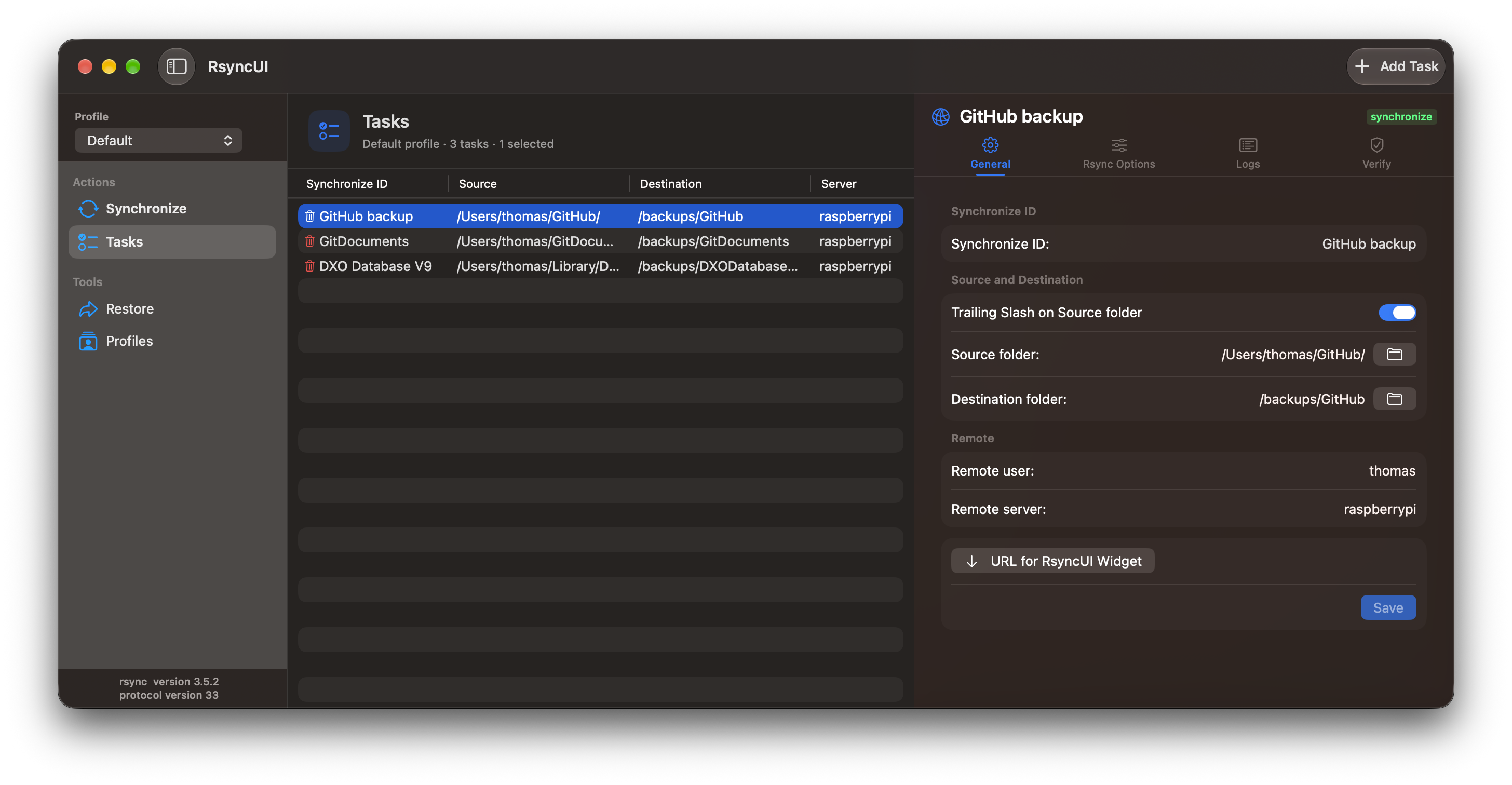
In Tasks, selecting a task opens the inspector on the right. The General tab holds the Synchronize ID, the trailing slash on the source folder, source and destination folders, remote user and server, and the button for the RsyncUI Widget URL. New tasks are created with Add Task in the toolbar.
Rsync Options
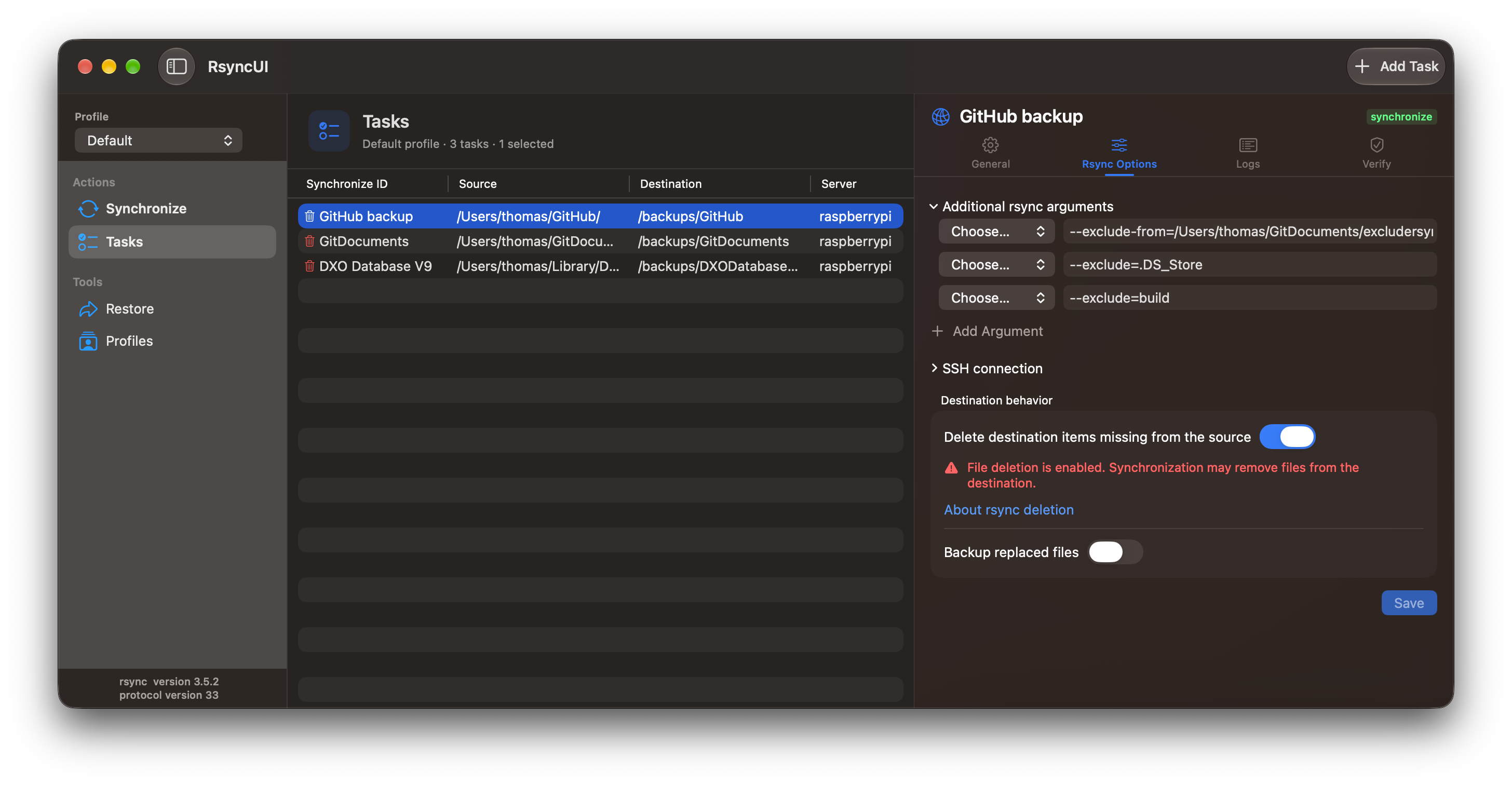
The Rsync Options tab lists additional rsync arguments (here exclude rules), the SSH connection settings and the Destination behavior. When Delete destination items missing from the source (--delete) is on, a red warning says that synchronization may remove files from the destination.
Logs
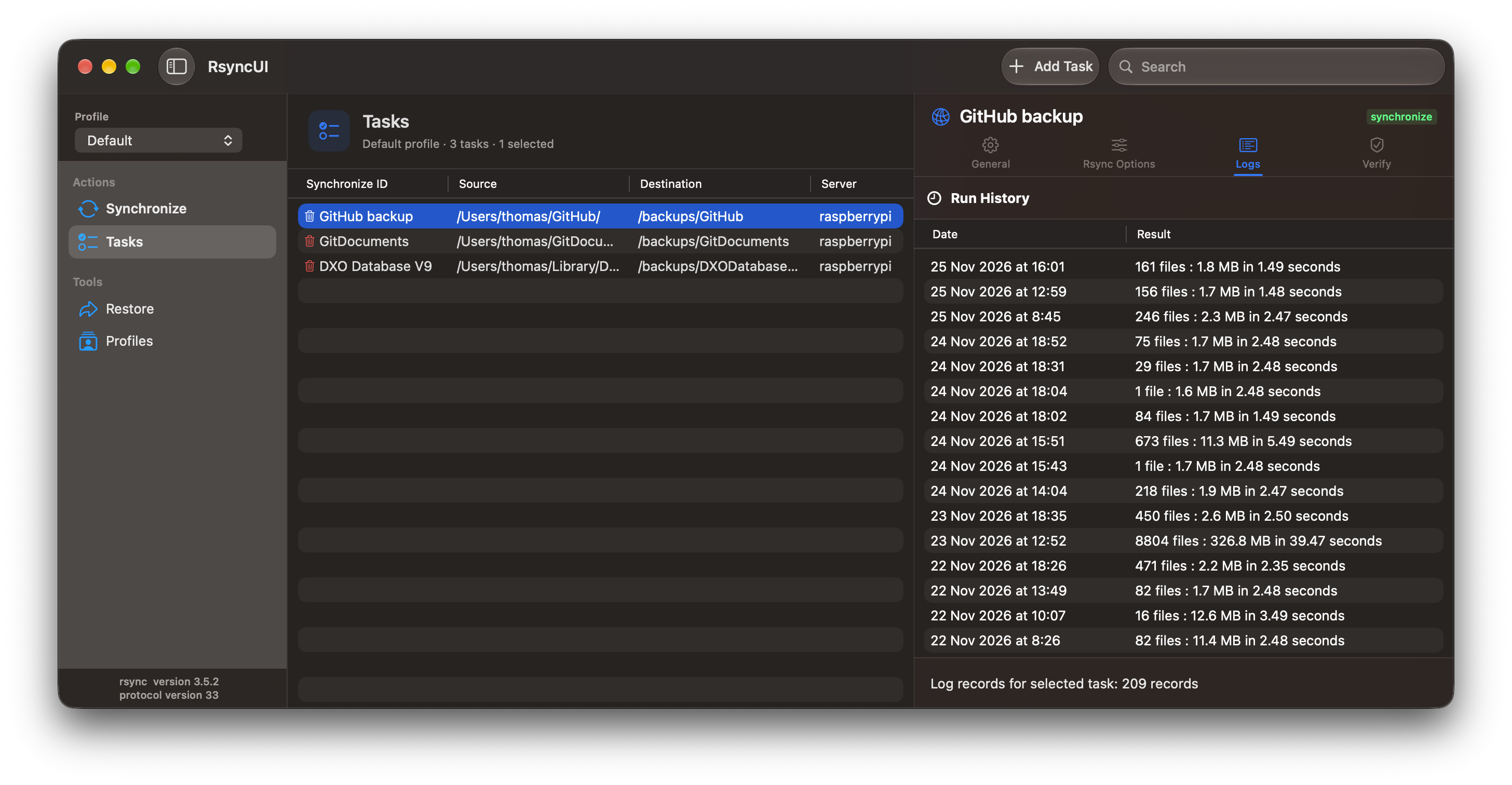
The Logs tab shows the run history of the selected task: date, number of files, size and time used. The footer shows the number of log records for the task.
Feedback
Was this page helpful?
Glad to hear it! Please tell us how we can can improve.
Sorry to hear that. Please tell us how we can can improve.