Synchronize and estimate
Categories:
The Synchronize workspace
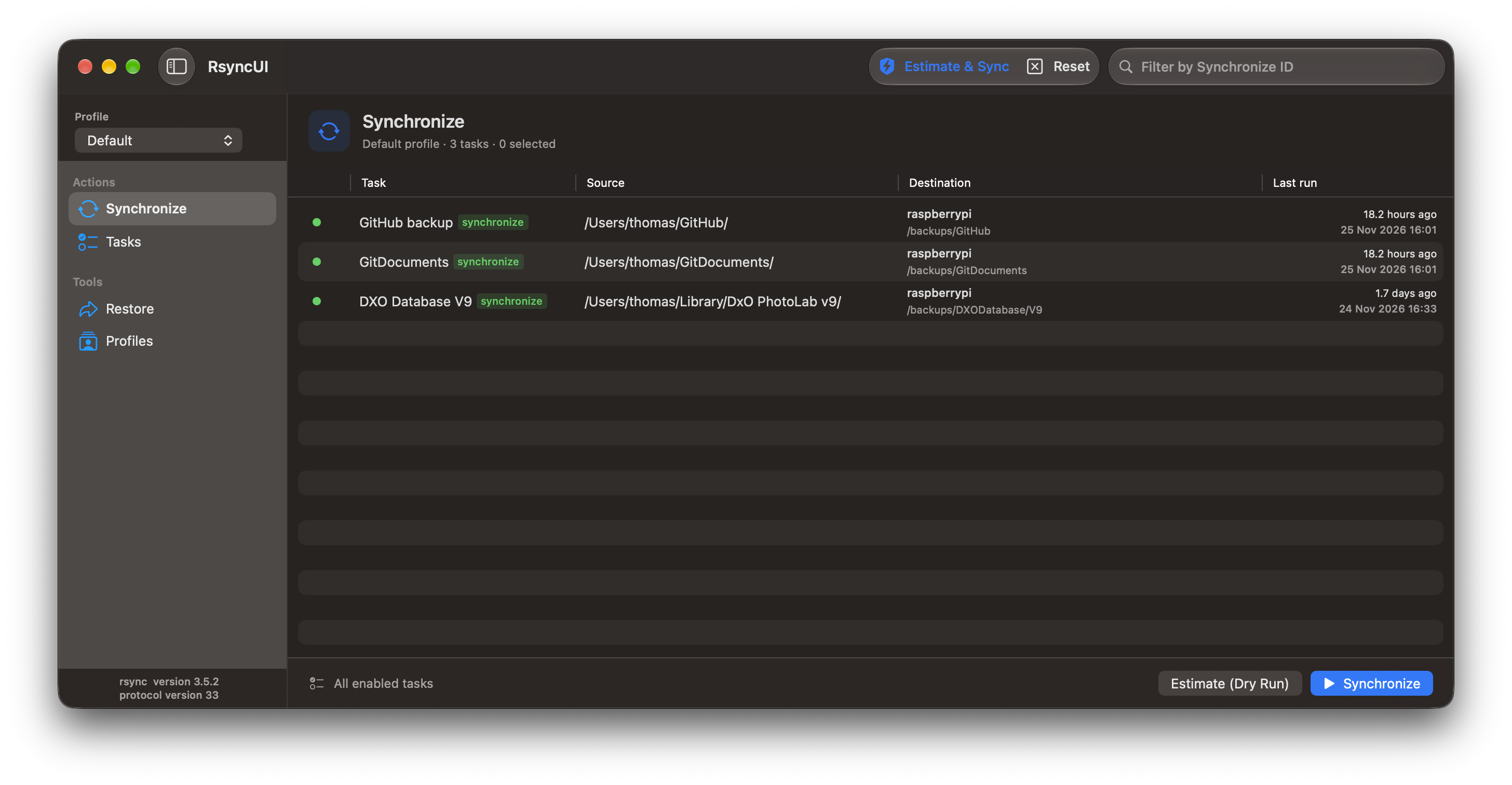
The main window opens in Synchronize. The sidebar holds the profile picker, Actions (Synchronize, Tasks) and Tools (Restore, Profiles), with the rsync version at the bottom. The task table shows each task with its source, destination (server and path) and when it last ran. The run bar at the bottom has Estimate (Dry Run) and Synchronize, and the toolbar has Estimate & Sync, Reset and a filter by Synchronize ID.
Estimate (Dry Run)
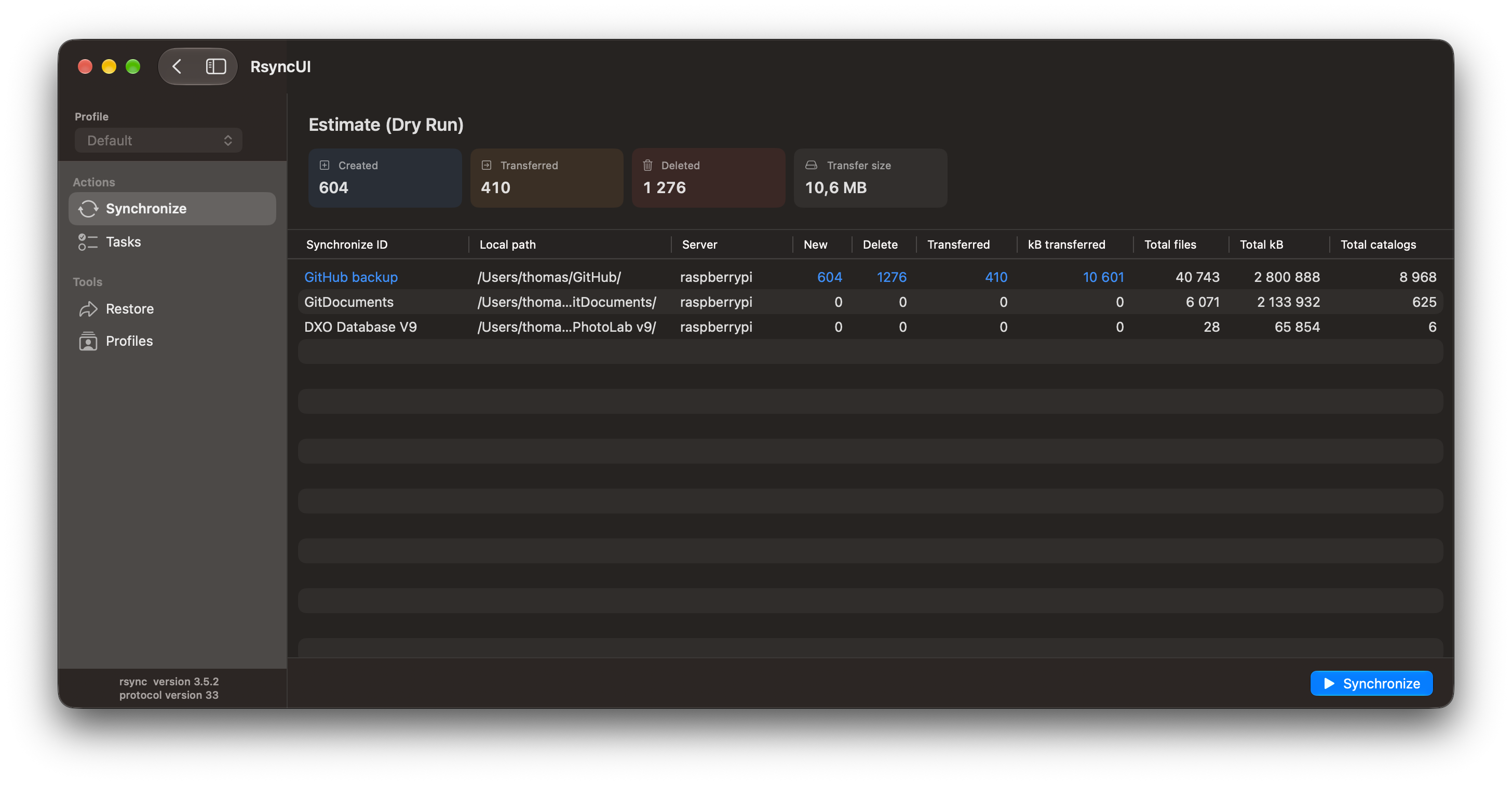
The result of an estimate. Summary cards at the top show files Created, Transferred, Deleted and the Transfer size for all tasks. The table shows the numbers per task; tasks with changes are highlighted in blue. Here only GitHub backup has changes. Click Synchronize to run the estimated tasks.
Feedback
Was this page helpful?
Glad to hear it! Please tell us how we can can improve.
Sorry to hear that. Please tell us how we can can improve.