SSH settings
Categories:
After changing a setting, save the changes to keep them next time you use RsyncUI.
This view configures the global SSH keypath and identity file used by RsyncUI for all remote tasks. For a guide on creating SSH keys, see SSH keys and passwordless login.
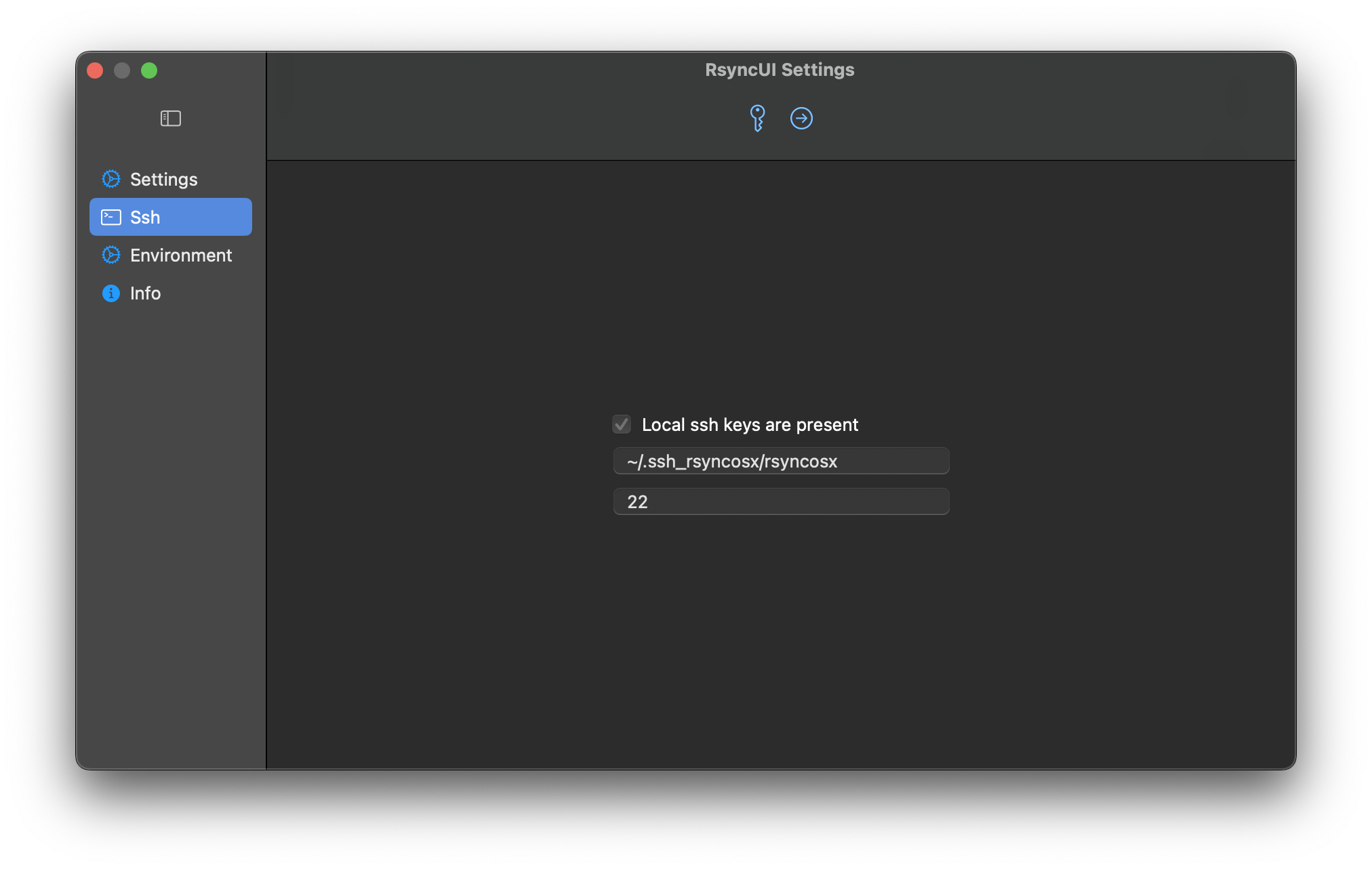
Local SSH Key Present
When this is “on”, RsyncUI has detected a local SSH key.
The default RSA-based SSH key values are ~/.ssh/id_rsa and port 22. These are not required if you use the defaults. If you do not specify your own keypath and identity file, RsyncUI uses the defaults. If a local SSH key is present, leave the settings as-is or set your own keypath and identity file. RsyncUI will mark the selected settings as default.
Set SSH Keypath and Identityfile
The user can specify a selected SSH keypath and identityfile that will apply to all configurations.
- SSH Keypath and Identityfile: If the user selects a different keypath or identityfile from the default, it will be used for all configurations.
- Port Number: The user can specify the port number through which SSH communicates. The default port number is
22.
If global SSH parameters are set, they will apply to all configurations. However, it is possible to specify different SSH parameters for individual tasks, which will override the global settings.
Feedback
Was this page helpful?
Glad to hear it! Please tell us how we can improve.
Sorry to hear that. Please tell us how we can improve.