Parameters to rsync
Categories:
RsyncUI provides sensible defaults for synchronization. The defaults applied to a task depend on whether rsync runs over a network or to a local disk.
You can adjust the defaults. Task configurations store their parameters, including any task-specific SSH option, which overrides the global SSH setting.
Always verify the result after changing rsync parameters. Select “Verify tasks” from the Sidebar.
Task-Specific Parameters to rsync
To add a parameter, enter it in a field. RsyncUI supports seven user-defined parameters across the fields. You are responsible for correctness—invalid values will cause rsync errors.
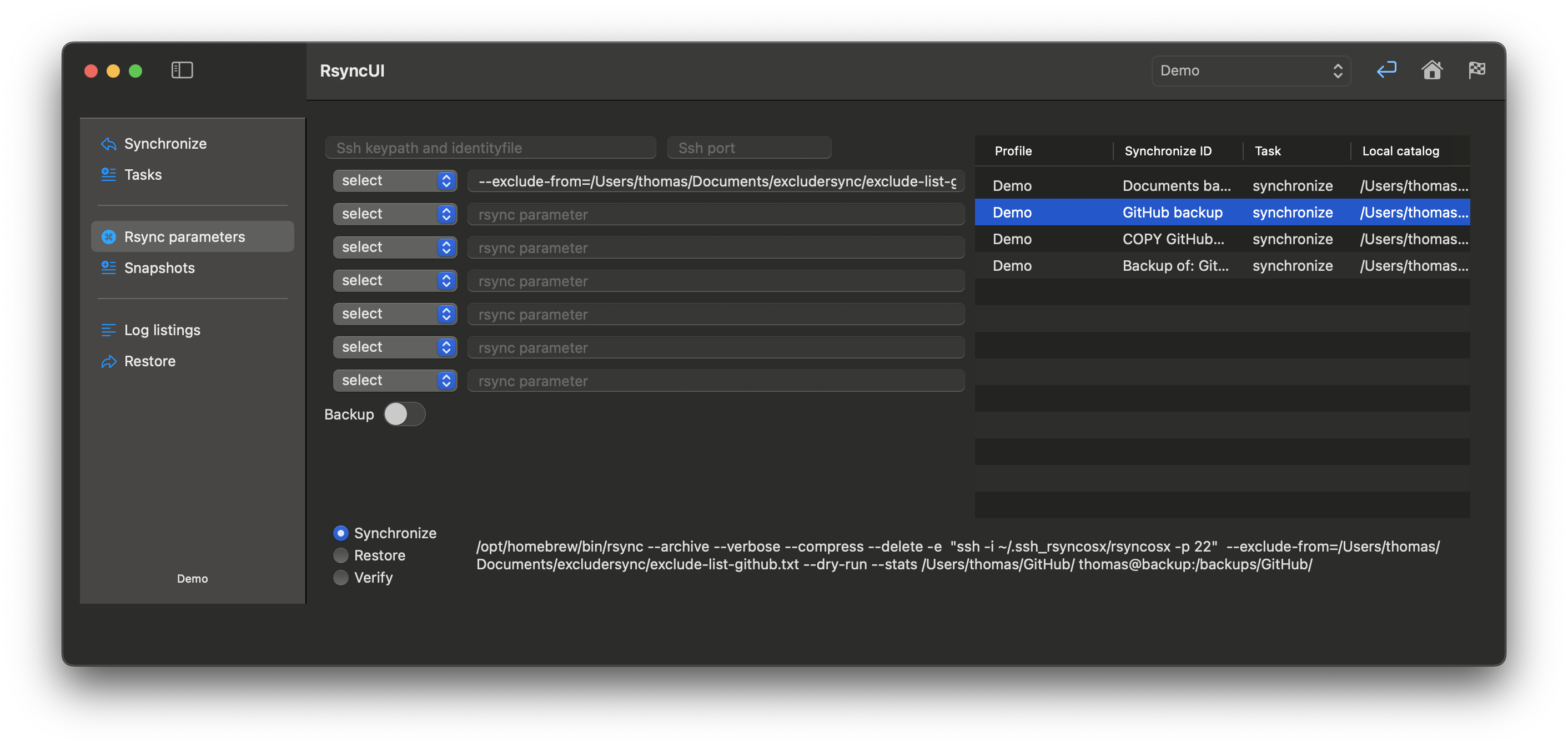
Parameters to rsync are typically constructed as follows (examples only—rsync supports many options):
- parameter=value
--exclude-from=/Volumes/home/user/exclude-list.txt- exclude list for rsync
- parameters only
--stats- enables the display of statistics during the synchronization process--dry-run- executes a simulated synchronization without modifying the files
For a comprehensive list of parameters for rsync, please refer to the official rsync documentation.
Task-Specific SSH Parameter
If you rely on default SSH keys and no SSH info is set in RsyncUI, the parameter -e ssh is appended so data is tunneled and encrypted. This applies only to remote tasks and restores.
Task-specific SSH parameters override global SSH settings.
- ssh-port: specify if ssh uses a port other than the default port 22
- ssh-keypath and identity file: typically, these are
.ssh/id_rsa; set only if alternative ssh-keypath and identity file are to be used by ssh
The values are marked red until validated OK. Refer to the “Tools passwordless login” section for information about validated values.
Backup Switch
The rsync command allows you to instruct it to save modified and deleted files in a separate backup directory prior to the synchronization process. This feature can be enabled by setting the following parameters:
--backup- Enables saving modified files--backup-dir- Directory where modified or deleted files are saved before synchronization
RsyncUI provides a default value for this parameter, but you can customize it as needed. For a synchronized directory named <directory to synchronize>, the default backup directory is ../backup_<directory to synchronize>, which is relative to the synchronized directory.
Feedback
Was this page helpful?
Glad to hear it! Please tell us how we can improve.
Sorry to hear that. Please tell us how we can improve.